
How to add a WhatsApp link to Instagram
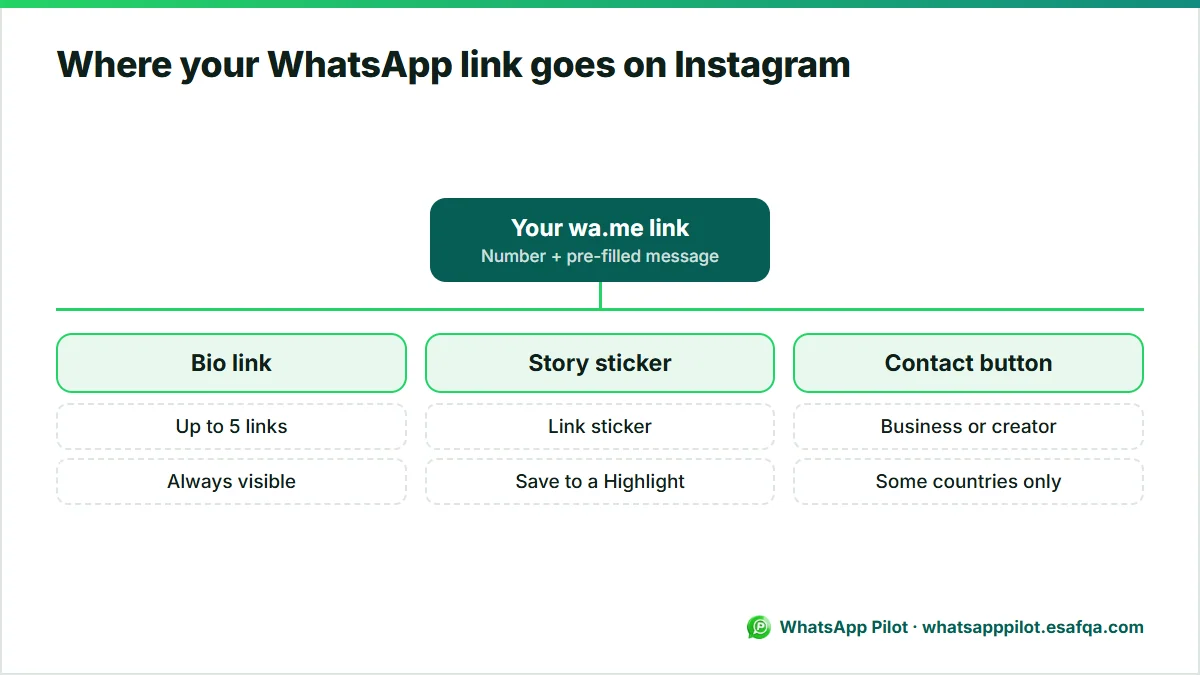
To add WhatsApp to Instagram, create a wa.me link for your number and paste it into your bio links or a Story link sticker. Business and creator accounts can also connect a WhatsApp contact button under Edit profile > Contact options, where available. Each placement takes about two minutes; this guide covers all four and how to tell which one brings you chats.
By Mousa Alhelo, founder, E-SAFQA · Updated · 6 min read · How we write and test these guides

Four places to put WhatsApp on Instagram
| Placement | Who can use it | Best for |
|---|---|---|
| WhatsApp contact button on the profile | Business and creator accounts, in supported countries | A permanent Message on WhatsApp option |
| Link in bio | Every account, up to 5 links | Always-visible link with a pre-filled message |
| Link sticker in Stories | Every account | Time-limited offers and product drops |
| Story Highlight | Every account | Keeping the Story link visible after 24 hours |
Step 1: create your WhatsApp link
A WhatsApp link has the form https://wa.me/ followed by your number in international format with no plus sign, spaces or leading zero. Adding ?text= and an encoded message pre-fills the first message, so you know the chat came from Instagram.
Example for a UAE number 050 123 4567 with a message: https://wa.me/971501234567?text=Hi%21%20I%20came%20from%20your%20Instagram
Our free WhatsApp link generator at /tools/whatsapp-link-generator builds the link and a QR code, and encodes the message for you.
Step 2: add the WhatsApp contact button to your profile
Instagram notes this option is only available in some countries. The number can be a WhatsApp Business app number or a WhatsApp Business API number. If you do not see it, use the bio link instead.
- Switch to a business or creator account if you have not already.
- Go to your profile and tap Edit profile.
- Under Public business information, tap Contact options.
- Select WhatsApp business phone number, then choose your number or add a new one.
- Tap Send confirmation code and enter the code you receive in WhatsApp.
Step 3: put the WhatsApp link in your bio
- Tap Edit profile > Links > Add external link.
- Paste your wa.me link in URL and give it a title such as Order on WhatsApp.
- Save. Instagram shows up to five links; put WhatsApp first if chat is how you sell.
- In your bio text, tell people what to expect, for example: Order or ask on WhatsApp, we reply within 1 hour.
Step 4: add the link to Stories and Highlights
Swipe-up links no longer exist; the link sticker replaced them for every account.
- Create a Story, tap the sticker icon and choose Link.
- Paste the wa.me link and tap Customize sticker text, for example Chat on WhatsApp.
- Place the sticker where it is easy to tap and share the Story.
- After posting, add the Story to a Highlight named Order or WhatsApp so it stays on your profile.
Track which placement brings chats
UTM tags do not survive inside WhatsApp, so use a different pre-filled message for each placement instead. When a chat starts with that text, you know where it came from.
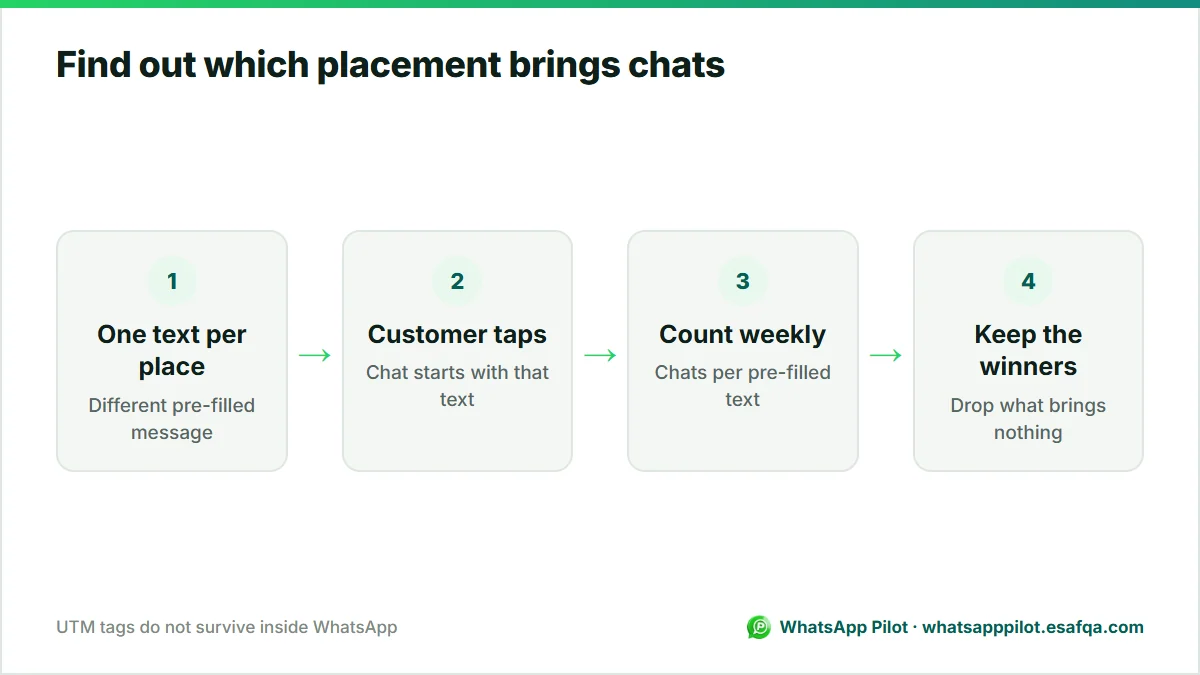
- Bio link: Hi! I found you on Instagram.
- Story sticker: Hi! I saw your Story about {product}.
- Contact button: customers type their own message, so ask how they found you in your greeting.
- Count the chats per text each week and keep the placements that work.
From Instagram to your Shopify store, and back to WhatsApp
Many shoppers move from Instagram to your store and still want to ask before buying. A floating WhatsApp button on the store and an Order via WhatsApp button on product pages keep the conversation going with the product name, variant and price already in the message. WhatsApp Pilot adds both to Shopify themes, and the floating button is free on your homepage.
Frequently asked questions
How do I add a WhatsApp link to my Instagram bio?
Create a wa.me link for your number, then go to Edit profile > Links > Add external link, paste it and save.
Why don't I see the WhatsApp option in Instagram contact options?
Instagram offers the WhatsApp contact button only to business and creator accounts in some countries. Use a wa.me link in your bio instead; it works everywhere.
Can I add a WhatsApp link to an Instagram Story?
Yes. Use the link sticker: tap the sticker icon, choose Link, paste your wa.me link and customise the sticker text.
Does the WhatsApp link work with a personal WhatsApp account?
Yes. wa.me links open a chat with any WhatsApp number. The contact button on the profile needs a WhatsApp Business app or API number.
How do I add a message to the WhatsApp link?
Add ?text= followed by the URL-encoded message, for example wa.me/971501234567?text=Hi%21. A link generator does the encoding for you.
Ready to put WhatsApp to work on your store?
Start with the free widget. Upgrade to Pro for order messages, cart recovery, the smart product button, back-in-stock alerts and Product Demand.