
WhatsApp welcome messages for business: 30 examples
A good WhatsApp welcome message tells the customer who answered, when they will get a real reply, and what to send to speed things up. In WhatsApp Business you set it once as the greeting message and it goes out automatically to new chats. Below are 30 examples for stores, plus introduction messages and the pre-filled text for your website button.
By Mousa Alhelo, founder, E-SAFQA · Updated · 8 min read · How we write and test these guides

Welcome, greeting and introduction messages are not the same
| Message | Who starts the chat | When it is sent | Where you set it |
|---|---|---|---|
| Greeting (welcome) message | The customer | Automatically on their first message, or after a long gap | WhatsApp Business: Business tools > Greeting message |
| Away message | The customer | Automatically outside your hours or when you are away | WhatsApp Business: Business tools > Away message |
| Introduction message | You | When you contact someone new, such as a lead or supplier | Typed or saved as a quick reply |
| Pre-filled first message | The customer, with your text | When they tap your WhatsApp link or button | In the wa.me link or your chat widget settings |
How to set the greeting message in WhatsApp Business
The greeting goes to people writing for the first time or returning after a long period without messages. It does not replace a real reply; it buys you time and sets expectations.
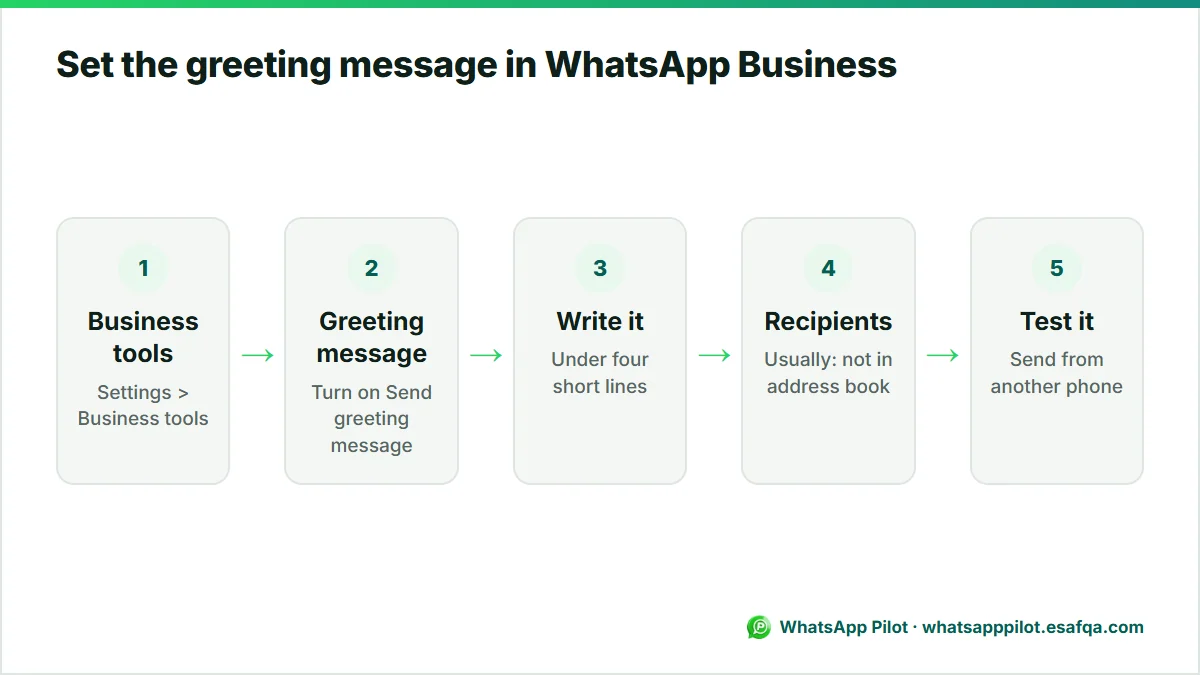
- Open WhatsApp Business and go to Settings > Business tools > Greeting message.
- Turn on Send greeting message.
- Tap the message to edit it. Keep it under four short lines.
- Choose recipients: everyone, everyone not in your address book, everyone except selected contacts, or only selected contacts. Most stores choose everyone not in the address book.
- Save. Send a test from another phone to see exactly what customers get.
12 welcome messages for online stores
- Hi, welcome to {store}! Thanks for your message. We reply within 1 hour between 9 am and 9 pm. If it's about an order, send your order number and we'll check it straight away.
- Hello and welcome to {store}. Tell us what you're looking for (product, size, colour) and we'll send you photos and the price.
- Hi there! You're chatting with the {store} team. For a faster answer, choose one: 1 Order status, 2 Product question, 3 Returns.
- Welcome to {store}! We're a small team and read every message ourselves. We'll get back to you today.
- Thanks for reaching out to {store}. Our full catalogue is here: {link}. Ask us anything about sizes or delivery.
- Hi! Welcome to {store}. Delivery is 2 to 4 days in {country}, and returns are free within 14 days. How can we help?
- Hello from {store}. We've got your message and someone from the team will reply shortly. Meanwhile, track any order here: {link}
- Welcome! It's {first name} from {store}. Send me a photo or link of the item you saw and I'll check stock for you.
- Hi, thanks for messaging {store}. We answer in English and Arabic. Ask away!
- Welcome to {store}. New here? Use code HELLO10 for 10% off your first order: {link}
- Hi and welcome! For wholesale or bulk orders, please send the product and quantity and we'll send a quote today.
- Thanks for contacting {store} customer care. Please share your order number and a short description, and we'll take it from there.
6 greeting messages by business type
- Fashion: Hi! Welcome to {store}. Tell us your usual size and we'll suggest the right fit for anything you like.
- Beauty: Welcome to {store}. Not sure which shade suits you? Send a photo in daylight and we'll recommend one.
- Electronics: Hi, thanks for messaging {store}. Send the model number and we'll confirm compatibility before you order.
- Food and bakery: Welcome to {bakery}! Orders for tomorrow close at 6 pm. What would you like?
- Home and furniture: Hello from {store}. Share your room size or a photo and we'll help you choose.
- Handmade: Hi! Each piece at {store} is made to order in 5 to 7 days. Tell us what you have in mind.
8 introduction messages when you message someone first
An introduction message is the first message you send to someone who has not written to you yet. Keep it personal and give a reason for the contact; WhatsApp is not the place for cold mass messages.
- Customer who asked to be contacted: Hi {name}, this is {first name} from {store}. You asked us on our website to message you about {product}. It's available now. Would you like the link?
- Lead from an event: Hi {name}, it was great meeting you at {event} today. I'm {first name} from {store}. Here's the catalogue I mentioned: {link}
- Business introduction: Hello {name}, I'm {first name}, founder of {store}. We make {product category} in {city}. Could I send you our wholesale price list?
- Supplier introduction: Hi, I'm {first name} from {store}, an online shop in {country}. We're looking for a supplier of {product}. Do you ship internationally?
- Collaboration: Hi {name}, I'm {first name} from {store}. We love your content about {topic} and would like to send you {product} to try, no strings attached.
- New team member: Hi {name}, I'm {first name}, and I'll be looking after your orders at {store} from today. Message me here anytime.
- Group introduction: Hello everyone, welcome to the {store} customer group. I'm {first name}. We'll share early access and restock news here, no more than twice a week.
- Number change: Hi {name}, this is {store}'s new WhatsApp number. Please save it so you keep getting your order updates.
4 pre-filled messages for your website WhatsApp button
The pre-filled message is the text already typed when a shopper taps your link or button. It is the customer's first message, so it should tell you what they want. You can build these links with our free WhatsApp link generator at /tools/whatsapp-link-generator, or set them in a chat widget.
- Hi! I have a question about an order.
- Hi! I'm interested in {product} ({variant}). Is it available?
- Hi! I'd like to order on WhatsApp, please.
- Hi! I came from your Instagram and want to know more.
What a good welcome message includes
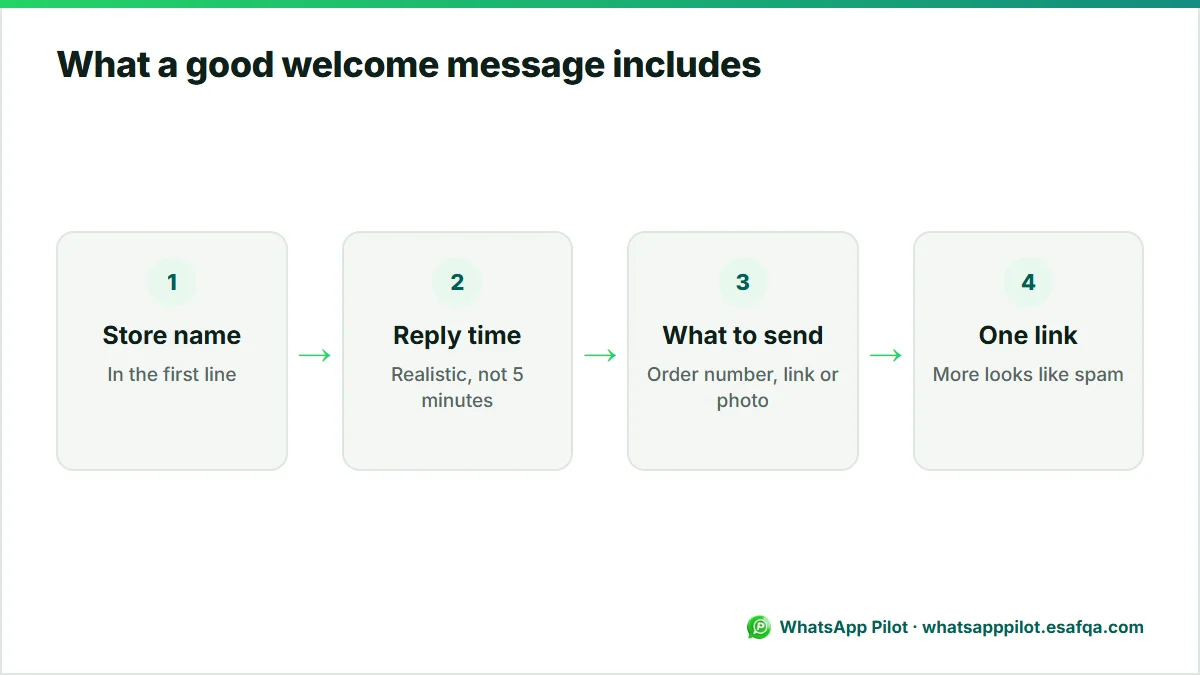
- Your store name in the first line, so the customer knows the chat reached the right place.
- A realistic reply time. Do not promise 5 minutes if you answer in 2 hours.
- What to send next: order number, product link, size or photo.
- At most one link. More links look like spam and slow the conversation.
- The language your customers use. If you sell in two languages, write both, short.
Frequently asked questions
What is the difference between a welcome message and a greeting message on WhatsApp?
In WhatsApp Business they are the same thing: the greeting message is the automatic welcome sent when a customer writes to you for the first time or after a long gap.
Can I set a welcome message on normal WhatsApp?
No. Automatic greeting and away messages are WhatsApp Business features. The regular WhatsApp app has no automatic replies.
How long should a WhatsApp welcome message be?
Two to four short lines: who you are, when you will reply, and what the customer should send.
Can the greeting message include a link?
Yes. One link to your catalogue, order tracking or website is fine. Avoid several links in one greeting.
Does a website WhatsApp button send a welcome message?
The button opens a chat with the pre-filled text you choose. If you use WhatsApp Business, your greeting message is then sent automatically when the customer sends that first message.
Ready to put WhatsApp to work on your store?
Start with the free widget. Upgrade to Pro for order messages, cart recovery, the smart product button, back-in-stock alerts and Product Demand.